
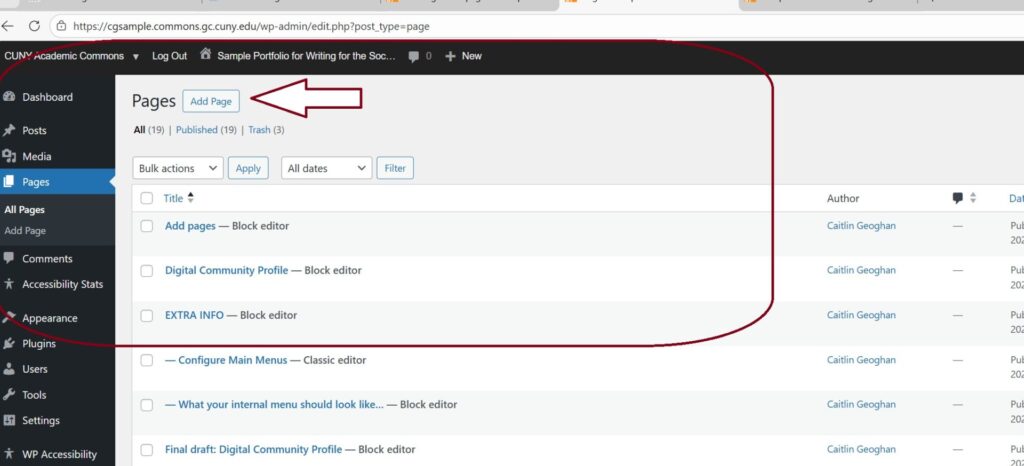
You can add new pages in the “Dashboard” by selecting “Pages” and then “Add New Page”
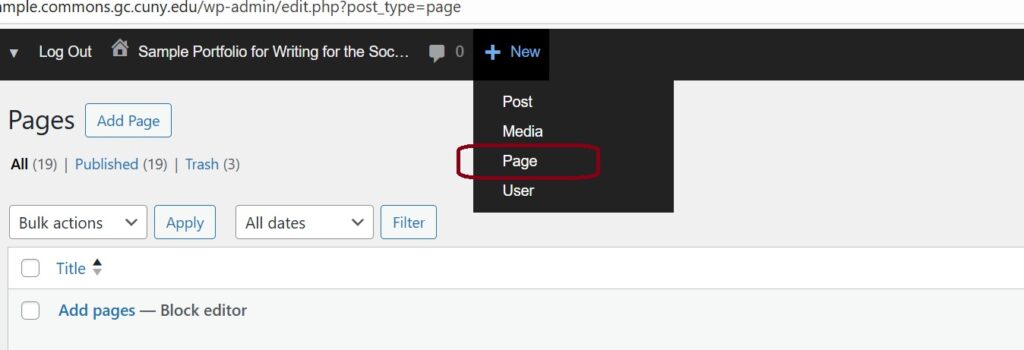
Or, by hovering over the “+ NEW” button on the Dashboard toolbar. A drop-down will allow you to select “Page” and you can add a new one.
The title of the page will be the name of the menu item.
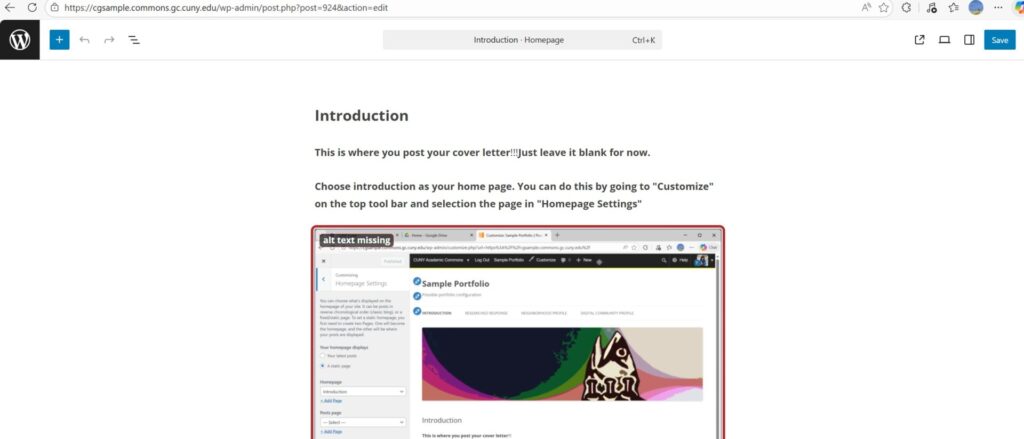
For example, this page entitled “Introduction”…
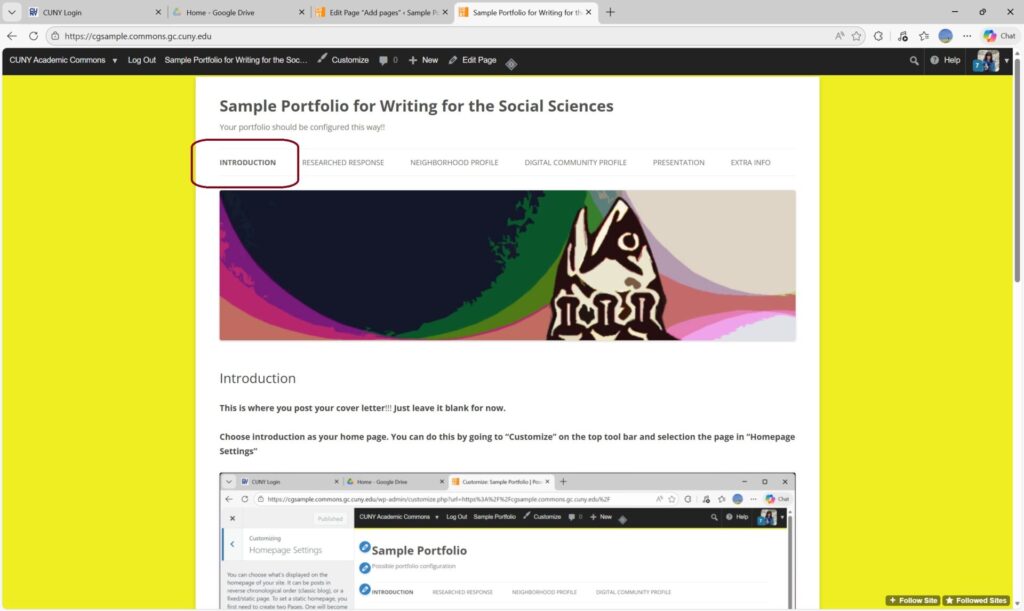
is linked to the main menu.

This entry is licensed under a Creative Commons Attribution-NonCommercial-ShareAlike 4.0 International license.

