
To configure the menu bar, you need to choose “menus” in the Dashboard.
Access menu from either the top tool bar:
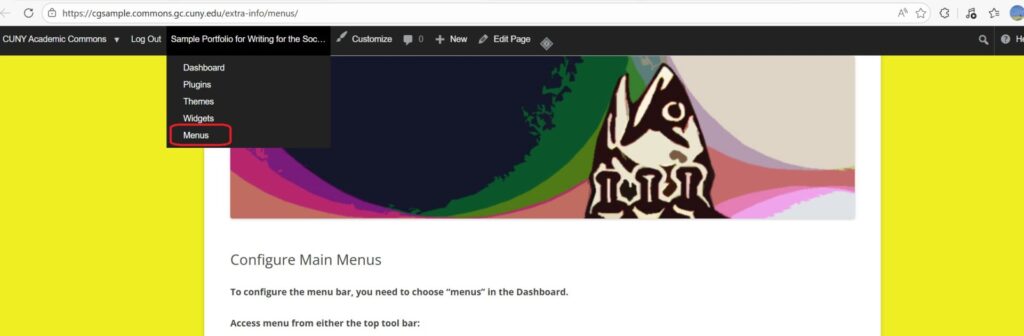
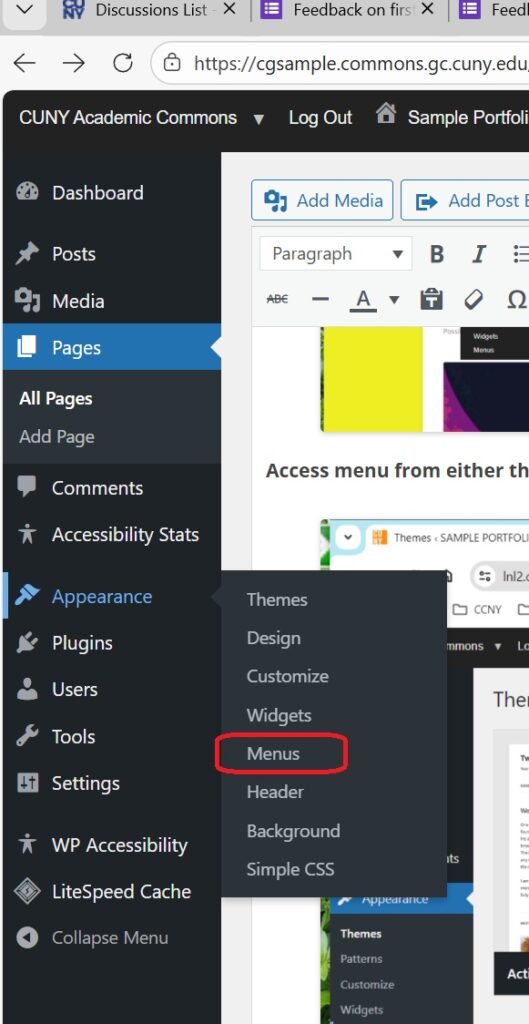
Or the left-hand tool bar under “Appearance”. It’s a drop-down menu.
Select the pages you want accessible via the main menu (which is all of them) by checking the boxes to the left of the page name in the “Pages” box and then clicking the “Add to Menu” button at the bottom of the box.

The image below shows how it should look with all the pages added to the menu.
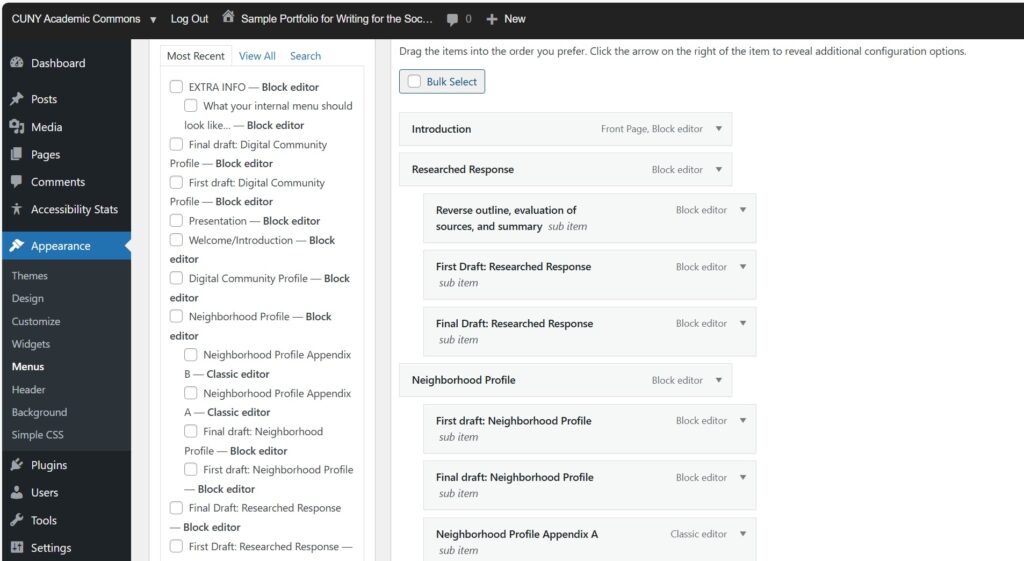
Then arrange the menu by dragging and dropping the page titles in the “Menu Structure” list. Then “Save Menu”
Here’s a close-up look at how the internal menu should look.

This entry is licensed under a Creative Commons Attribution-NonCommercial-ShareAlike 4.0 International license.

